In 2026, the digital landscape is more fragmented than ever. Your users aren't just switching between Chrome and Safari; they are accessing your web application from foldable tablets, high-refresh-rate mobile browsers, and even integrated desktop environments.
For Developers, a site that works on your machine but breaks on a user's Firefox ESR is a productivity killer. For Testers, manual verification across 50+ combinations is a bottleneck. For VPs of Engineering, browser-specific bugs are silent conversion killers that bleed revenue.
This guide covers everything you need to know to master cross browser testing and ensure your product delivers a seamless experience for every user, every time.
Cross browser testing is the process of verifying that a website or web application functions consistently across different browsers, browser versions, operating systems (OS), and devices.
It isn't just about making sure the "buttons work." It’s about ensuring that your JavaScript executes correctly, your CSS layouts don't break, and your functional testing requirements are met regardless of whether the user is on an iPhone 15 using Safari or a Windows workstation using Edge.
If you think "everyone uses Chrome anyway," you're risking a significant portion of your market share. Here is why this practice is non-negotiable:
While cross-browser UI testing tools are valuable, it’s important to acknowledge a hard truth: UI tests are often flaky, slow, and expensive to maintain. Minor DOM changes, timing issues, and rendering differences can create noise that has little to do with actual business risk.
This is where Business Use Case Testing (BUCT), driven directly from the backend, becomes a stronger confidence layer.
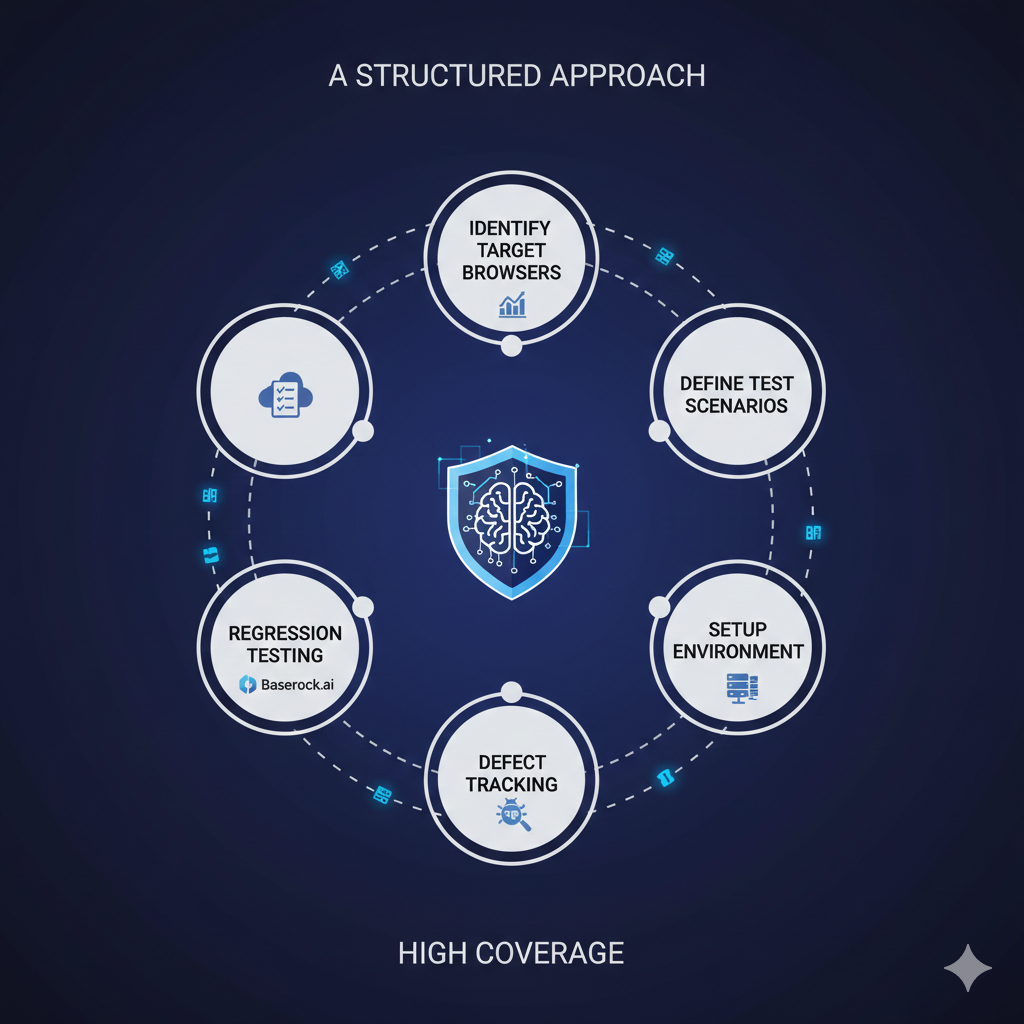
A structured approach prevents "testing fatigue" and ensures high coverage.
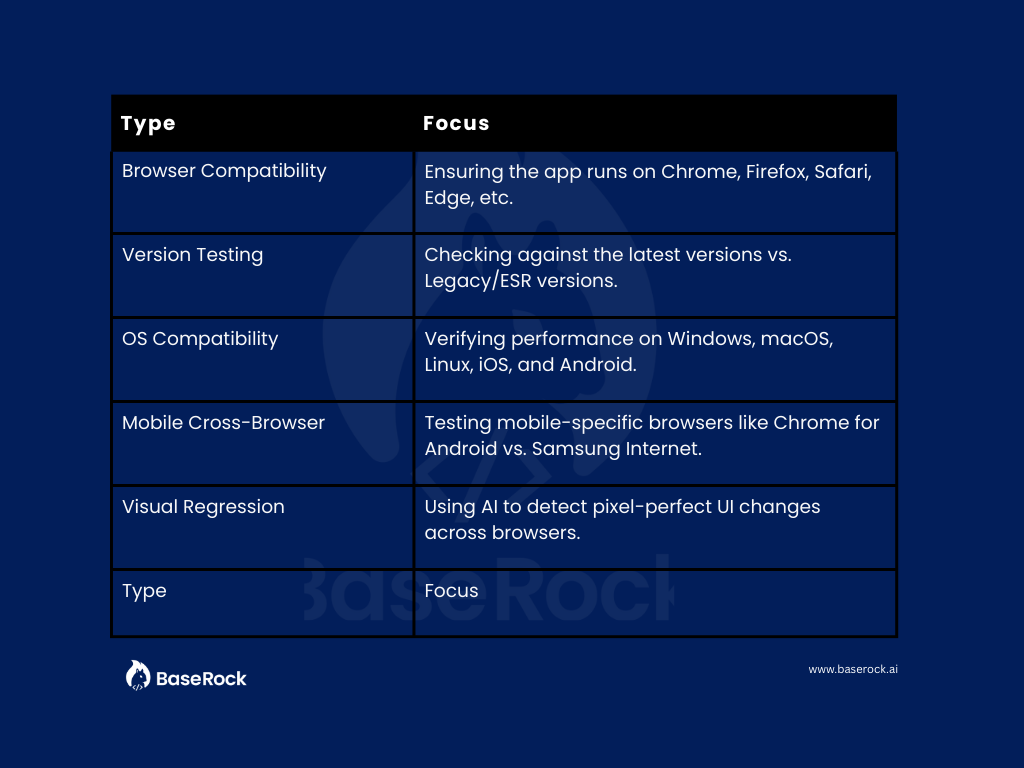
To mitigate risks effectively, you need to understand the different layers of compatibility:
The right stack depends on your team's velocity:
Automated cross browser testing is the only way to keep up with daily deployment cycles. Modern frameworks like Playwright and Cypress allow you to write a single script and execute it across multiple "projects" (browser engines).
While traditional automation requires developers to spend hours writing and maintaining scripts for every browser, BaseRock takes an "Agentic" approach.
As a modern software quality platform, BaseRock uses autonomous AI agents to:
Ready to stop chasing browser bugs?
Discover how BaseRock.ai can automate your cross browser testing and catch compatibility issues before your users do.
1.What is cross browser testing?
It is the process of ensuring a web application works as intended across various combinations of browsers, operating systems, and devices.
2.What is the difference between Parallel and Cross-Browser Testing?
Cross-browser testing refers to where you test (Chrome vs. Safari). Parallel testing refers to how you run them (running multiple tests at the same time to save time). You often use parallel testing to speed up your cross-browser suites.
3.Can cross browser testing be automated?
Yes. Using frameworks like Playwright or AI platforms like BaseRock, you can automate the execution of tests across dozens of browser environments simultaneously.
4.How often should you perform cross browser testing?
Ideally, critical paths should be tested on every release. With a tool like BaseRock integrated into your CI/CD, this happens automatically on every commit.

Flexible deployment - Self hosted or on BaseRock Cloud

.jpg)